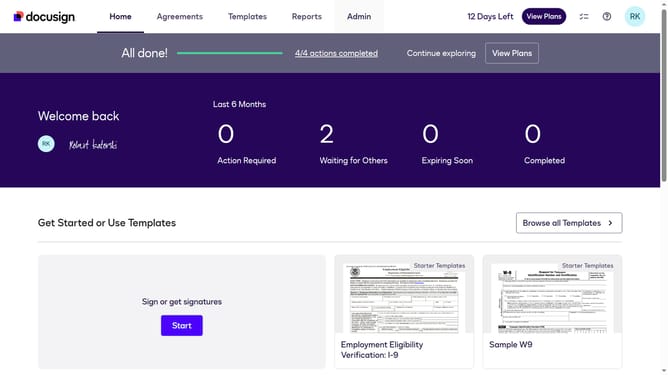
How to display your signing and sending summary on your ID card in DocuSign
Here is how to display your signing and sending summary on your id card in docusign
- First click on the your profile icon in the top right corner of the header
- Then click on "My Preferences" option in the dropdown menu
- Scroll down in the General Settings menu
- Next click on the "Show signing and sending summary " checkbox
- Finally click on the "Save" button again to confirm the changes
Why should you display your signing and sending summary on your ID card in DocuSign
DocuSign empowers seamless digital transactions by providing a secure platform for electronic agreements.
Displaying your signing and sending summary on your ID card in DocuSign allows for instant access to your transaction history. This feature enhances your ability to stay organized and informed about your document activities.
Utilizing this benefit means you can quickly verify completed tasks and pending items in one glance. This streamlined approach ensures you maintain efficiency and productivity in your digital workflows effortlessly.
Last update