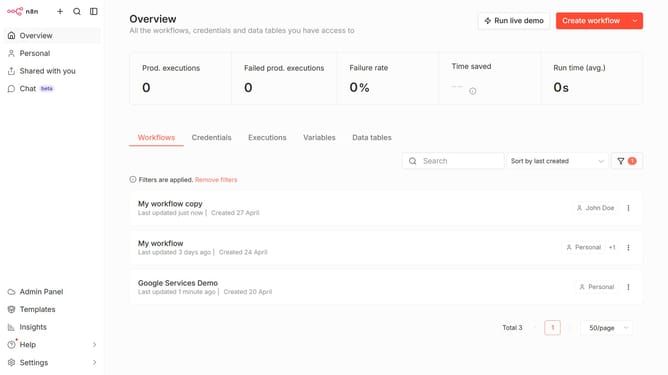
How to create Zoho OAuth2 API credential in n8n
Here is how to create zoho oauth2 api credential in n8n
- First click on the "Create workflow" button dropdown
- Then click on "Create credential" option
- Next, type "Zoho" in the "Search for app..." input field
- Then select "Zoho OAuth2 API" from the search results
- After that, click on the "Continue" button
- Finally click on the "Connect to Zoho" button
Why should you create Zoho OAuth2 API credential in n8n
n8n is a powerful workflow automation tool designed to streamline processes across myriad applications effortlessly.
One of its standout features is creating Zoho OAuth2 API credentials, which enables seamless integration with Zoho services.
Using this feature, users can automate tasks and streamline operations without manual intervention, greatly enhancing productivity and efficiency.
Additionally, it secures data interactions between n8n and Zoho, ensuring a reliable and trustworthy integration.
Last update