How to create Mailcheck API credential in n8n
Here is how to create mailcheck api credential in n8n
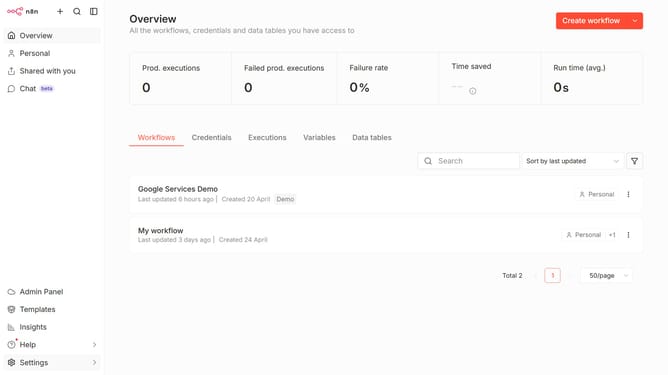
- First click on the dropdown arrow next to "Create workflow" button in the header.
- Then click on "Create credential" button.
- In the "Add new credential" modal, first click on the "Search for app..." input field.
- Then type "mailcheck" in the search field and click on the "Mailcheck API" option.
- After that click on the "Continue" button.
- In the "Mailcheck account" setup page, fill in the "API Key" input field.
- Finally click on the "Save" button.
Why should you create Mailcheck API credential in n8n
n8n is a versatile workflow automation tool that empowers users to connect various apps and services effortlessly.
Creating Mailcheck API credentials within n8n enhances email validation processes, ensuring your email lists are accurate and up-to-date.
This feature enables businesses to minimize errors from invalid or misspelled addresses, improving email campaign effectiveness.
Incorporating Mailcheck API credentials streamlines operations, saves time, and boosts communication reliability.
Last update