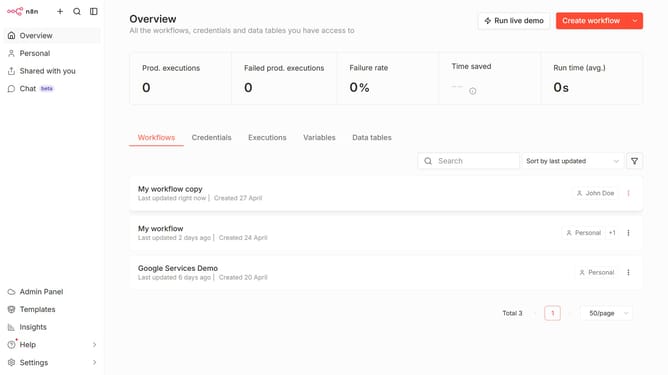
How to create Kafka credential in n8n
Here is how to create kafka credential in n8n
- First click on the dropdown arrow next to "Create workflow" button
- Then click on "Create credential" button
- Then click on the search input field with the text "Search for app..."
- Then type "kafka" into the search input field and select "Kafka" option
- Then click on the "Continue" button
- Finally click on the "Save" button
Why should you create Kafka credential in n8n
n8n is a powerful automation tool designed to connect and coordinate various applications and workflows with ease.
Adding Kafka credentials in n8n enhances the platform's connectivity by enabling smooth and efficient data exchange with Apache Kafka. This feature allows users to streamline their data processes by integrating Kafka into their automated workflows.
Utilizing Kafka credentials in n8n facilitates real-time data processing and analysis, empowering users to react quickly to changes and optimize their operational performance.
Last update