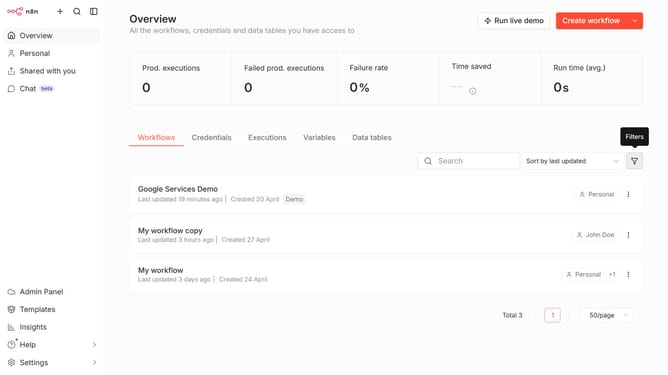
How to create GetResponse OAuth2 API credential in n8n
Here is how to create getresponse oauth2 api credential in n8n
- First click on the dropdown arrow next to the "Create workflow" button.
- Then click on the "Create credential" option.
- Next, click on the search input field labeled "Search for app...".
- After that, type "getresponse" into the search bar and click on "GetResponse OAuth2 API".
- Click on the "Continue" button.
- Then fill in the necessary input fields in the form.
- Finally, click on the "Connect to GetResponse" button.
Why should you create GetResponse OAuth2 API credential in n8n
n8n is an intuitive workflow automation platform designed to simplify the integration of various services and applications.
Creating GetResponse OAuth2 API credentials in n8n offers seamless connectivity between GetResponse and other important tools you utilize in your workflows.
This integration ensures data flows effortlessly, enhancing efficiency and productivity without requiring complex coding knowledge.
Ultimately, harnessing this feature in n8n empowers you to optimize your marketing processes, improve customer engagement, and drive business growth, making operations smoother and outcomes richer.
Last update