How to create an invitation design in Canva
Here is how to create an invitation design in canva
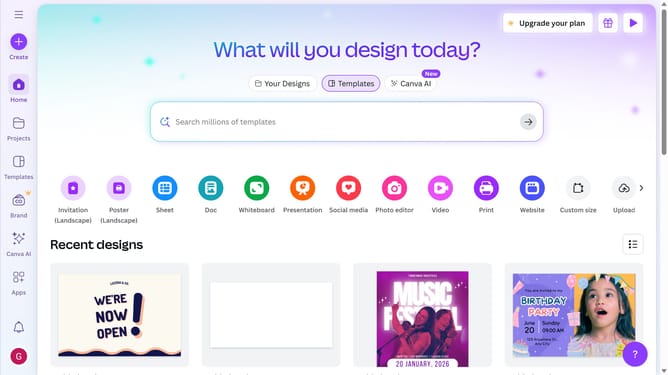
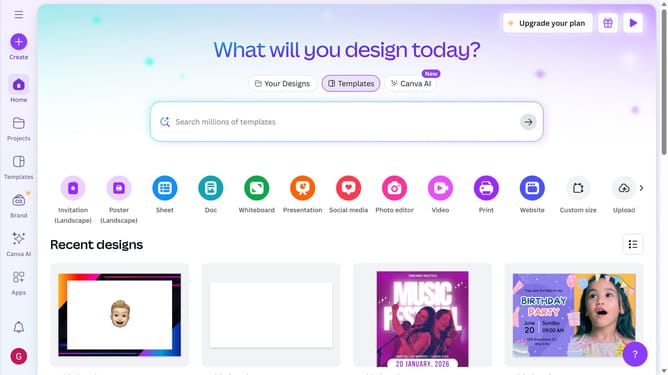
- First click on the "Create" button in the top-left corner of the main interface
- Then click in the search bar and type the template type
- Next click on the "Invitation (Portrait)" template option from the search results
- Then click in the search box at the top of the templates panel and type the template design
- Finally click on a birthday party invitation template from the displayed options
Why should you create an invitation design in Canva
Canva is a versatile online platform designed to empower anyone to create stunning visual content with ease.
Creating an invitation design in Canva is as intuitive as it is rewarding. With its vast array of customizable templates, users can effortlessly craft personalized invitations that instantly capture the theme of their event. This feature allows for endless creativity, enabling the user to play with colors, fonts, and graphics to suit any occasion.
By choosing Canva for invitation design, you save both time and resources while ensuring a professional and polished end product. It's an ideal solution for anyone looking to add a personal touch to their special events effortlessly.
Last update