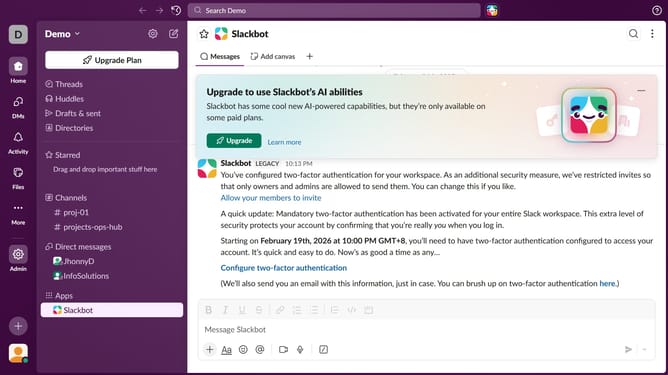
How to choose default channels for new members in Slack
Here is how to choose default channels for new members in slack
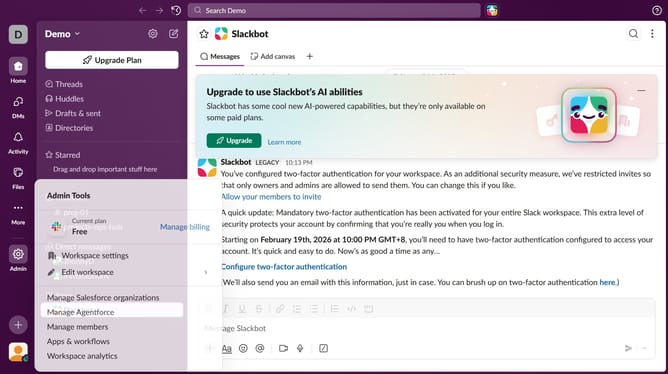
- First click on the "Admin" option in the left sidebar
- Then click on "Admin Tools" and select "Workspace settings"
- Next, click on the "Settings & permissions" tab
- Then click on the "Expand" button for the "Allow people with approved email domains to join this workspace" section
- After that, click on the input field and add your preferred channels
- Next, on the starting default channel dropdown
- Then, select a channel from the dropdown list
- Finally, click on the "Save" button
Why should you choose default channels for new members in Slack
Slack is a dynamic platform designed to enhance team communication and collaboration seamlessly.
One of its powerful features is the ability to select default channels for new members, ensuring that every new addition to your team is automatically looped into essential conversations from the get-go.
This feature not only streamlines onboarding but also fosters immediate engagement by immersing new members in key discussions, promoting a sense of belonging and efficiency right away.
By setting default channels, teams can maintain consistent communication structures and ethos, reinforcing team cohesiveness and reducing onboarding time.
Last update