How to change a space name in Confluence
Here is how to change a space name in confluence
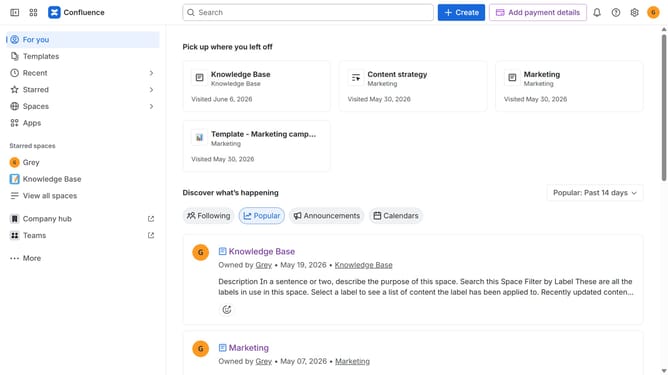
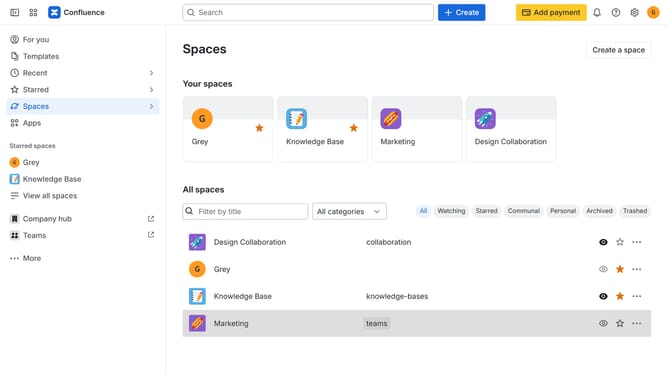
- First click on "Spaces" in the left sidebar
- Next click on the "View all spaces" option from the pop-up menu
- Find the space you want to rename from the list
- Click on the three dots menu in the right corner of the space name
- Then click on "Space settings" from the menu
- In the left sidebar menu, click on "Space details"
- After that, locate the "Name" input field
- Then enter a new name for the space
- Finally, click on the "Save" button to apply the changes
Why should you change a space name in Confluence
Confluence is a dynamic collaboration tool designed to facilitate team communication and knowledge sharing.
A notable feature is the ability to change a space name, which enhances the organization and relevance of your content spaces.
Renaming a space helps maintain alignment with evolving project scopes or team structures, ensuring that content remains clear and accessible.
This function brings flexibility and precision, keeping your workspace intuitive and reflective of your team’s current priorities.
Last update