How to analyze survey results in SurveyMonkey
Here is how to analyze survey results in surveymonkey
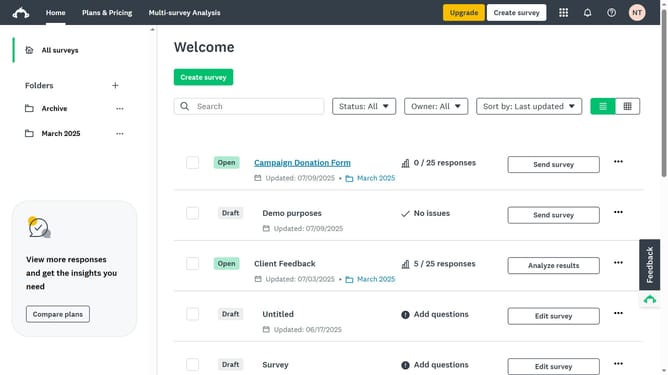
- Click the survey whose results you want to analyze in the main content area
- Go to the “Analyze Results” tab at the top of the page
- Finally click on the "Question Summaries" tab in the analysis section to view response data
Why should you analyze survey results in SurveyMonkey
SurveyMonkey is a powerful tool designed for creating and analyzing surveys efficiently.
By utilizing SurveyMonkey's result analysis feature, users can transform complex data into meaningful insights with ease.
This feature streamlines the process of identifying trends, understanding audience sentiments, and making data-driven decisions.
Using it ensures that businesses and researchers can swiftly refine strategies and enhance their outcomes, maximizing the value derived from surveys.
Last update