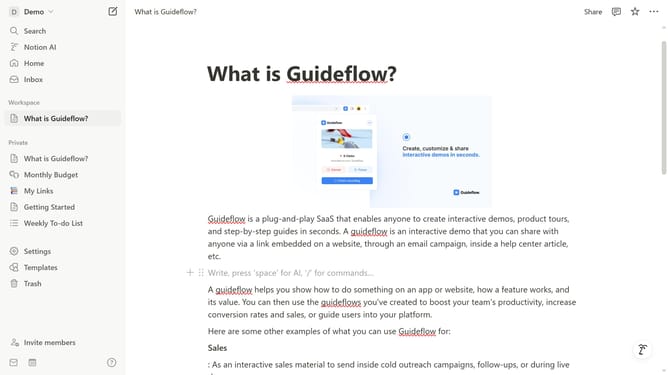
How to add heading 2 block in Notion
Here is how to add heading 2 block in notion
- First, click on the page you want to open in the left sidebar.
- Then, click on the "+" icon that appears below the "Demo" title.
- Finally, select "Heading 2" from the list of basic blocks in the dropdown menu.
Why should you add heading 2 block in Notion
Notion is a versatile workspace designed to enhance productivity and organization.
Adding a heading 2 block in Notion allows you to easily segment and structure your content. By doing so, you create a clear hierarchy within your document, making it more digestible for readers and efficient for team collaboration.
This feature is particularly beneficial when managing complex projects, as it enables easy navigation and improves overall readability, ensuring key points stand out.
Last update