How to add a sticker on Pitch.com
Here is how to add a sticker on pitch.com
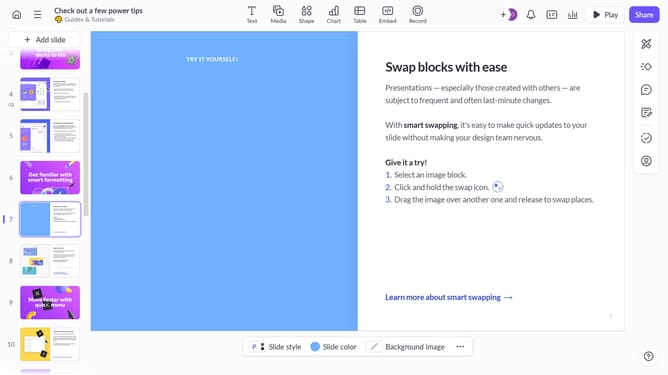
- First, open your presentation and select the slide where you want to add a sticker
- Then click on the "Media" button in the top toolbar
- Click on the "Stickers" option in the left sidebar
- Next, browse through the available sticker options and select the one that best fits you
- The sticker will appear on your slide. Click and drag it to the desired position
- For more edit option, click on "More option" (three dots)
- Then, use the "Design panel" to adjust size, position, opacity, replace sticker and more other options
- You've successfully added a sticker to your slide
Why should you add a sticker on Pitch.com
Pitch is a dynamic platform designed to revolutionize how teams create presentations with ease and impact.
Adding a sticker to your presentation on Pitch.com brings a lively touch to your slides. It allows you to express creativity while emphasizing key points in an engaging way.
This feature enhances visual storytelling, making your presentations not only more fun but also more effective in communicating complex ideas.
With stickers, turning ordinary data into compelling visuals has never been easier, making collaboration and presentation both enjoyable and meaningful.
Last update