Zoom
Zoom is a unified communications platform for video, phone, chat, and webinars. It helps teams connect, collaborate, and boost productivity with powerful, intuitive tools.
Website
Industry
Collaboration
Share this article:

How to view whiteboard activity in Zoom

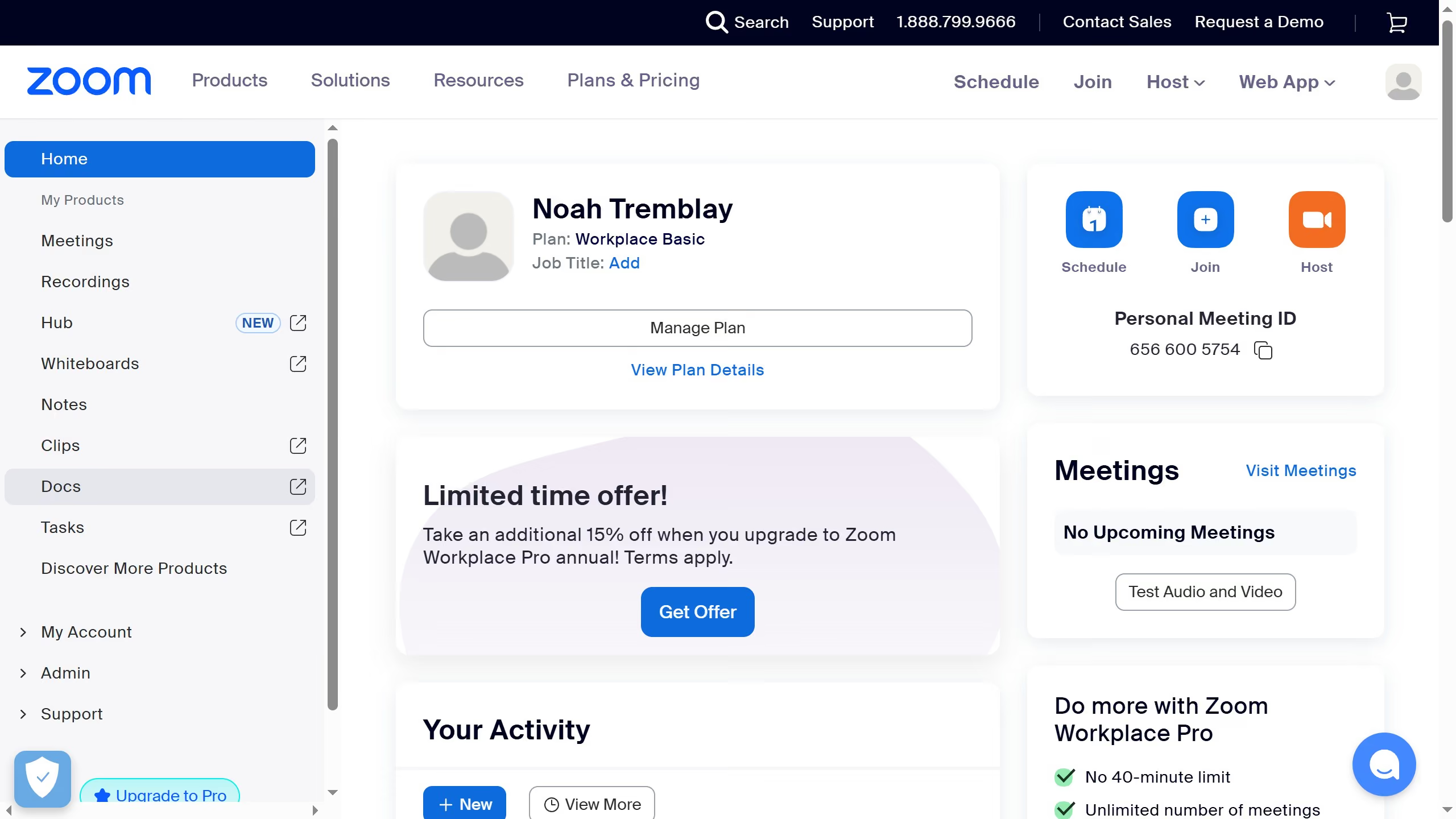
Here is how to view whiteboard activity in zoom

  1. First click on the "Whiteboards" button in the top navigation menu
  2. Then hover over the whiteboard you want to check activity for
  3. Next click the three-dot menu in the bottom-right corner of the whiteboard tile
  4. Finally select "View activity" from the dropdown menu
Create your own interactive guide with Guideflow

Why should you view whiteboard activity in Zoom

Zoom is a powerful platform for seamless virtual communication and collaboration.

Viewing whiteboard activity within Zoom enhances your ability to engage and participate in real-time brainstorming sessions.

This feature allows you to effortlessly follow along as ideas are sketched out, ensuring that everyone is on the same page.

By leveraging the visualization capabilities of whiteboard activity, your team can boost creativity and improve collective problem-solving outcomes.

Last update
February 3, 2026
Cursor MariaA cursor points to a button labeled "James."

Create your first demo in less than 30 seconds.