How to view basic campaign details using the Details report in ActiveCampaign
Here is how to view basic campaign details using the details report in activecampaign
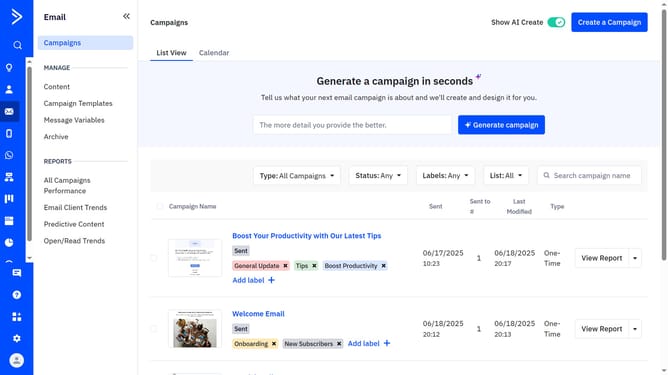
- First click on the "Email" option in the left sidebar menu
- Then click on the "Email" option in the left sidebar menu
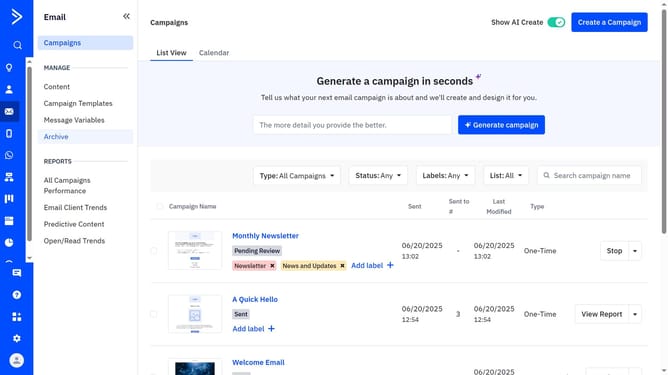
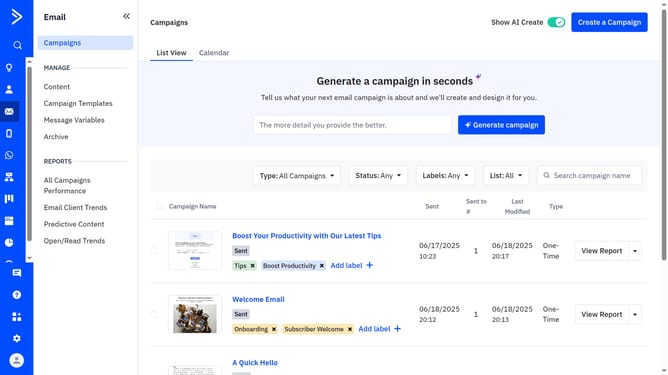
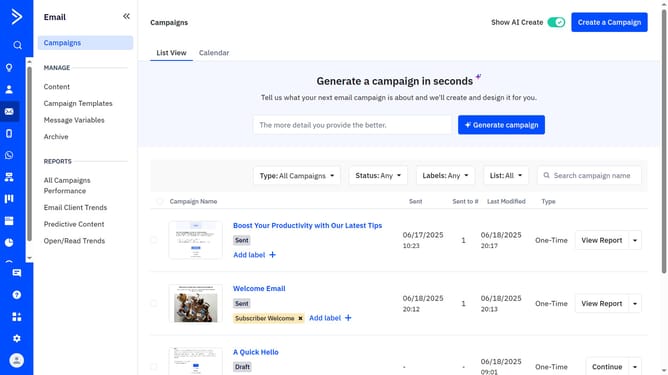
- At the top of the page, go to the "List View" or "Calendar" tab
- Next find the campaign you want to view the details
- Finally click on "View Report" button next to the campaign
- You will now be taken to the Campaign Reports section for that specific campaign. The Details report will display key information about the campaign
Why should you view basic campaign details using the Details report in ActiveCampaign
ActiveCampaign is a leading marketing automation platform designed to enhance communication and engagement with your audience.
The Details report in ActiveCampaign provides an accessible snapshot of your campaign's performance, offering a streamlined overview of essential metrics. This feature allows users to quickly assess the success of campaigns without delving into complex data sets.
By using the Details report, you can make informed decisions based on clear insights, helping to optimize future campaigns and enhance overall marketing efficiency.
Last update