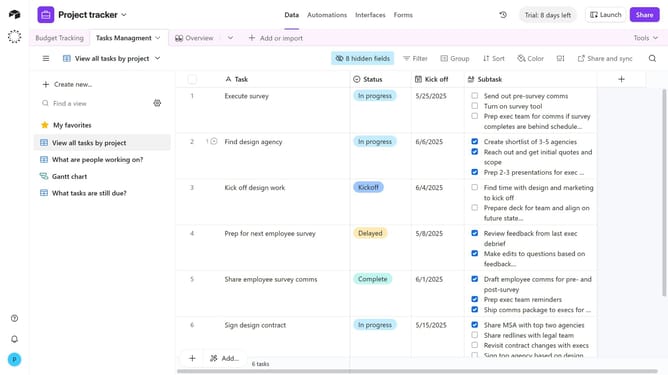
How to share a view in Airtable
Here is how to share a view in airtable
- First, navigate to your base and open the table that contains the view you want to share
- In the view sidebar, select the specific view you want to share
- Next click on the "Share and sync" button in the top toolbar
- Then click on "Create link to view" option in the share menu
- Finally click on "Copy link" to copy the share link to send directly to collaborators
Why should you share a view in Airtable
Airtable transforms your workflow by combining the simplicity of a spreadsheet with the power of a database.
The ability to share a view in Airtable enriches collaboration, ensuring everyone stays in sync with the most relevant data. By sharing specific views, you can tailor information access to the needs of different teams or stakeholders.
This focused sharing optimizes data security and clarity, minimizing overwhelm and enhancing productivity. Utilizing shared views, teams can quickly align tasks, priorities, and updates with precision and ease.
Last update