How to pin or unpin Pulse in your Sidebar in ClickUp
Here is how to pin or unpin pulse in your sidebar in clickup
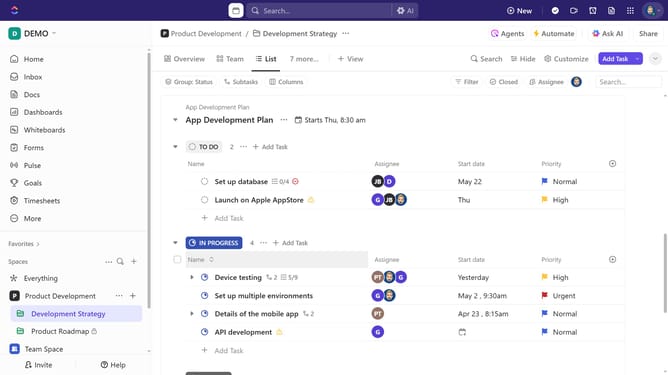
- First to pin Pulse navigate to the Sidebar and click on the "More" option
- Next, in the expanded menu, click on the white pin icon next to "Pulse"
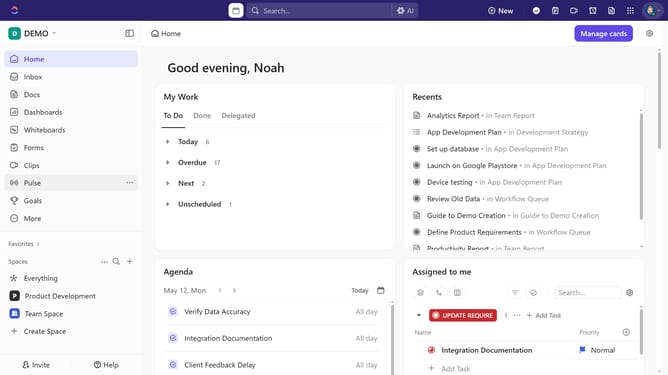
- Once pinned, Pulse will appear in the Sidebar for quick access
- To unpin Pulse, click the "More options" (three dots) next to it
- Then select "Unpin from sidebar" from the dropdown menu
- Alternatively, you can click the "More" option and click the pin icon next to Pulse again to remove it
Why should you pin or unpin Pulse in your Sidebar in ClickUp
ClickUp is a versatile productivity tool designed to optimize project management and team collaboration.
With the ability to pin or unpin Pulse in your Sidebar, ClickUp empowers users to personalize their navigation experience effortlessly. This feature allows you to keep critical Pulse insights at your fingertips, enabling swift access to real-time team updates and activities.
Utilizing this feature enhances your workflow efficiency and ensures you remain informed without losing focus on your core tasks. By customizing the Sidebar, you streamline your workspace to match your unique needs, maximizing productivity and team synergy.
Last update