How to manage Smart Links in a Confluence space
Here is how to manage smart links in a confluence space
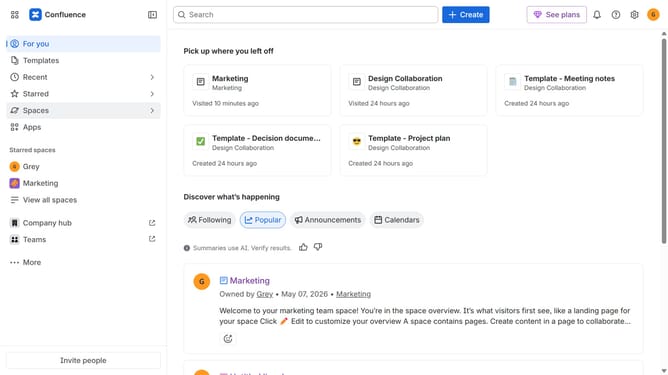
- First click on "Spaces" in the left sidebar
- Next click on the "View all spaces" option
- From the list of spaces, select the space you want to manage features for
- Then click on the "three dots" button next to the space name in the sidebar
- From the dropdown menu, select the "Space settings" option
- Next click the "General" menu in the left sidebar
- Select "Features" from the submenu
- Then, locate the “Smart Links” feature in the Content section
- Finally, turn the toggle on or off to enable or disable Smart Links features for the space
Why should you manage Smart Links in a Confluence space
Confluence is a collaborative workspace where teams come together to share knowledge and ideas seamlessly.
Managing Smart Links in a Confluence space allows you to easily integrate external content and resources directly into your pages, enhancing productivity and information accessibility. These links automatically update, ensuring you and your team always have the most current information at your fingertips.
By integrating Smart Links, users can streamline workflows, reduce repetitive tasks, and enhance the overall user experience within the Confluence environment.
Last update