How to integrate a workspace to Drip via Sales in Typeform
Here is how to integrate a workspace to drip via sales in typeform
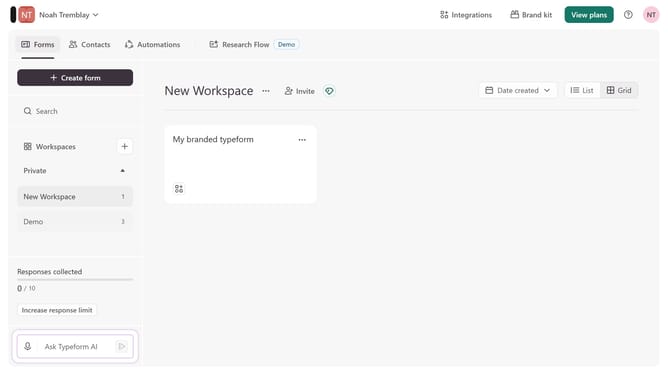
- First click on a workspace in the main navigation
- Then click on the "Integrations" button in the header
- Next, click on the "Find an integration" button
- After that, select "Sales" from the categories list on the left sidebar
- Finally, click on the "Drip" integration card
Why should you integrate a workspace to Drip via Sales in Typeform
Typeform transforms questions and responses into a conversational experience that keeps audiences engaged.
Integrating a workspace with Drip via Sales in Typeform ensures seamless data flow, enhancing the efficiency of campaign management.
This feature unlocks the potential for automated customer journeys by leveraging data collected effortlessly.
As a result, businesses can refine communication strategies and improve customer interaction without manual input, delivering an enriching user experience.
Last update