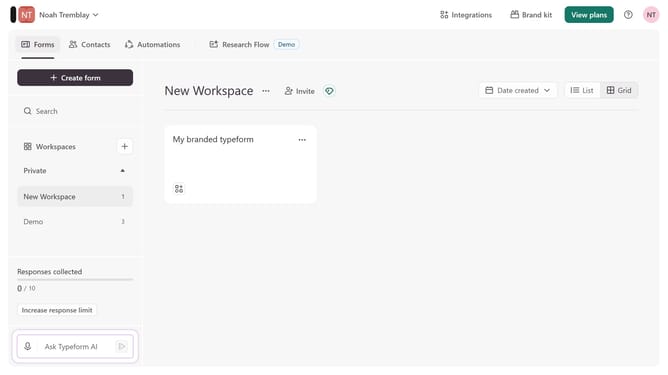
How to integrate a workspace to Klaviyo V1 via Payments & e-commerce in Typeform
Here is how to integrate a workspace to klaviyo v1 via payments & e-commerce in typeform
- First, click on a workspace in the left sidebar
- Then, click on the "Integrations" button in the top menu
- Next, click on the "Find an integration" button
- Then, click on the "Payments & e-commerce" category in the left sidebar
- Finally, click on the "Klaviyo V1" integration
Why should you integrate a workspace to Klaviyo V1 via Payments & e-commerce in Typeform
Typeform transforms how businesses collect and engage with information through interactive, beautifully designed forms.
Integrating a workspace to Klaviyo V1 via Payments & e-commerce in Typeform allows seamless synchronization of data and automation of your marketing efforts.
By establishing this connection, you can effortlessly gather customer insights, streamline transaction processes, and enhance the personalization of your email marketing campaigns.
The result is a more cohesive system that boosts efficiency and elevates the customer experience.
Last update