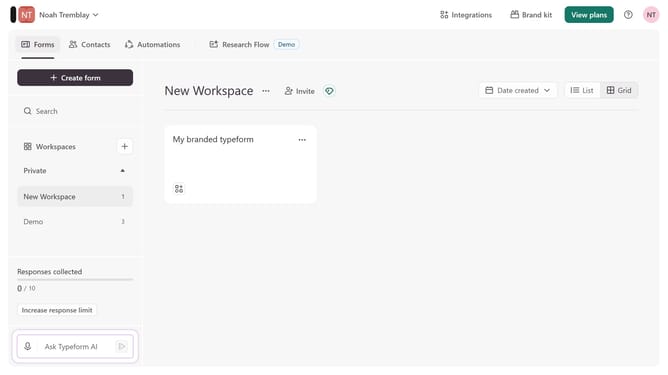
How to integrate a workspace to Chattermill via Customer support in Typeform
Here is how to integrate a workspace to chattermill via customer support in typeform
- First, click on the a workspace in the left sidebar
- Then, click on the "Integrations" button in the header
- Next, click on the "Find an integration" button
- Then, select "Customer support" from the list of categories in the left sidebar
- Finally, click on the "Chattermill" integration card
Why should you integrate a workspace to Chattermill via Customer support in Typeform
Typeform transforms surveys into engaging conversations, making data collection intuitive and enjoyable.
Integrating a workspace to Chattermill through Typeform's Customer Support feature allows for seamless data analytics and enhanced customer insights. This integration fosters a smoother transition of feedback data, ensuring actionable insights are always at your fingertips.
Utilizing this feature aligns your team towards better decision-making, enhancing the customer experience and driving business growth.
Last update