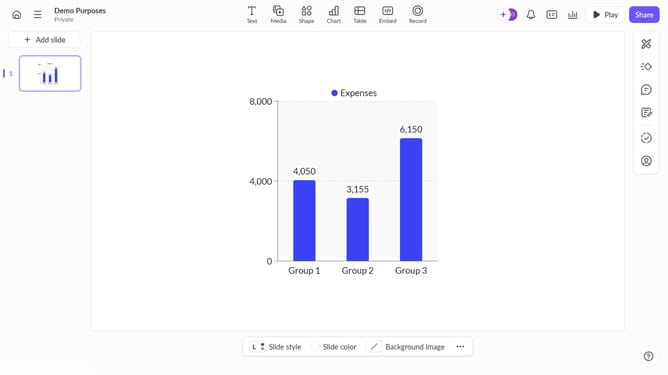
How to hide value labels on columns in Pitch
Here is how to hide value labels on columns in pitch
- First click on the chart area to select the graph
- Then click on the "More options" button (three dots) in the chart toolbar above the graph
- Finally toggle off the "Value labels" option under column settings to hide the labels
Why should you hide value labels on columns in Pitch
Pitch is a dynamic presentation software designed to transform ideas into stunning visual narratives effortlessly.
One of the handy features in Pitch is the ability to hide value labels on columns, offering a cleaner and more streamlined presentation look.
This feature is particularly beneficial when your focus is on overall patterns and trends rather than specific details, enhancing the clarity and professionalism of your slides.
Furthermore, it allows viewers to engage with your content at a high level, reducing distractions and maintaining focus on key messages and insights.
Last update