How to embed an Airtable view
Here is how to embed an airtable view
- First, open your base and navigate to the table that contains the view you want to embed
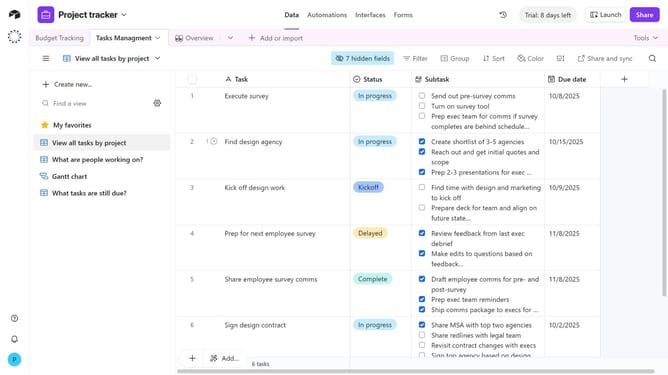
- In the view sidebar, select the specific view you want to embed
- Next click on the "Share and sync" button in the top toolbar
- Then select "Embed this view" option from the share menu
- Finally click the "Copy embed code" button to copy the generated embed code
- Paste the embed code into the HTML of your website or the external platform where you want the view to appear
Why should you embed an Airtable view
Airtable is a versatile platform that combines the simplicity of a spreadsheet with the power of a database, enabling efficient data management.
Embedding an Airtable view seamlessly integrates dynamic information into your website, making it easily accessible for viewers without navigating away from your page.
This feature enhances collaboration and transparency by offering real-time data visibility, ensuring everyone stays updated effortlessly.
With Airtable view embedding, streamline your workflow and enrich your web content with interactive data presentations tailored to your audience's needs.
Last update