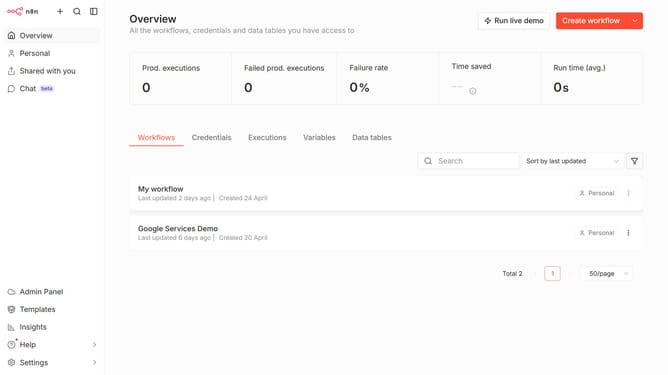
How to create Notion API credential in n8n
Here is how to create notion api credential in n8n
- First click on the dropdown arrow next to "Create workflow" button
- Then click on "Create credential" button
- Next click on the "Search for app..." input field and type in "Notion"
- Then select "Notion API" item
- Next click on the "Continue" button
- Then fill in the input field labeled "Internal Integration Secret"
- Finally click on the "Save" button
Why should you create Notion API credential in n8n
n8n is a versatile workflow automation tool designed to connect and automate various services seamlessly.
Creating Notion API credentials in n8n unlocks the potential to automate and streamline your Notion workflows with ease. By integrating Notion with n8n, users can effortlessly manage tasks, synchronize data, and enhance productivity.
This feature empowers teams to leverage the collaborative power of Notion while maintaining automated, dynamic workflows, ensuring efficient task management and better resource utilization.
Last update