How to create Mindee Invoice API credential in n8n
Here is how to create mindee invoice api credential in n8n
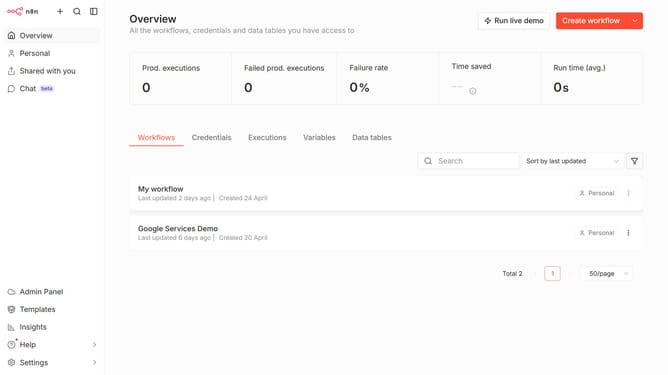
- First click on the "Create workflow" button dropdown
- Then click on "Create credential" button
- Next click on the search bar and enter "Mindee"
- Then select "Mindee Invoice API" item
- Continue by clicking on the "Continue" button
- Then fill in the "API Key" input field
- Finally click on the "Save" button
Why should you create Mindee Invoice API credential in n8n
n8n is a versatile workflow automation tool that streamlines the integration of different applications.
Creating Mindee Invoice API credentials in n8n is a pivotal feature that allows users to seamlessly connect their invoice processing to automated workflows. This integration ensures that invoice data can flow effortlessly between systems, providing efficiency and accuracy.
This capability is particularly beneficial for businesses aiming to reduce manual data entry and enhance operational efficiency by automating invoice management. Connecting Mindee Invoice with n8n opens doors to increased productivity and smoother financial operations.
Last update