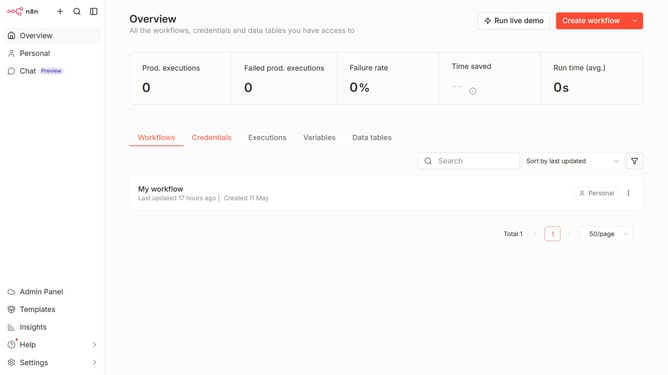
How to create DeepSeek credential in n8n
Here is how to create deepseek credential in n8n
- First click on the dropdown arrow next to "Create workflow" button.
- Then click on "Create credential" button.
- Then click on the "Search for app..." input field and type in "deep".
- Then click on the "DeepSeek" radio button.
- Then click on the "Continue" button.
- Then enter the needed information for your new credential.
- Finally click on the "Save" button.
Why should you create DeepSeek credential in n8n
n8n is a powerful automation tool designed to streamline workflows and connect various apps effortlessly.
Creating a DeepSeek credential in n8n enhances integration capabilities, allowing users to connect securely with DeepSeek's features. This feature opens up opportunities for advanced data processing and seamless automation, making workflow management smoother.
Using DeepSeek credentials in n8n ensures safer and more efficient data handling, enabling users to leverage DeepSeek's robust search capabilities and comprehensive data insights.
Last update