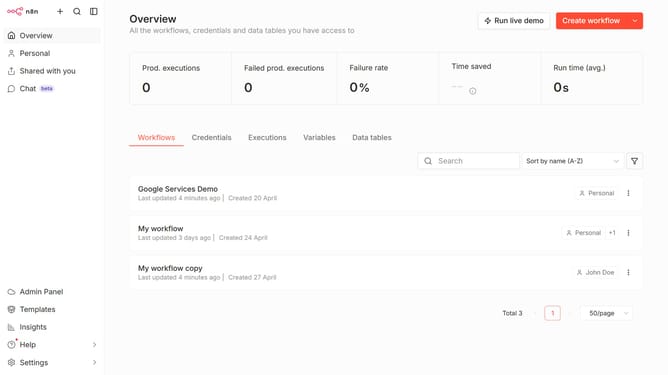
How to create Anthropic credential in n8n
Here is how to create anthropic credential in n8n
- First click on the dropdown arrow next to 'Create workflow' button in the header
- Then click on 'Create credential' button in the dropdown menu
- Next, select 'Anthropic' from the list of applications
- After that, click on the 'Continue' button
- Then, enter your API Key in the input field
- Finally click on the 'Save' button
Why should you create Anthropic credential in n8n
n8n is a powerful and flexible automation tool that streamlines digital workflows effortlessly.
Creating Anthropic credentials in n8n enhances the system's capabilities by allowing seamless integration with Anthropic's AI services. This feature offers users the ability to leverage advanced AI functions within their workflows, simplifying complex processes and boosting productivity.
Using Anthropic credentials in n8n not only ensures robust data handling but also adds an intelligent layer to decision-making processes, making your automations smarter and more efficient.
Last update