Zoom
Zoom is a unified communications platform for video, phone, chat, and webinars. It helps teams connect, collaborate, and boost productivity with powerful, intuitive tools.
Website
Industry
Collaboration
Share this article:

How to create a document from a meeting in Zoom Docs

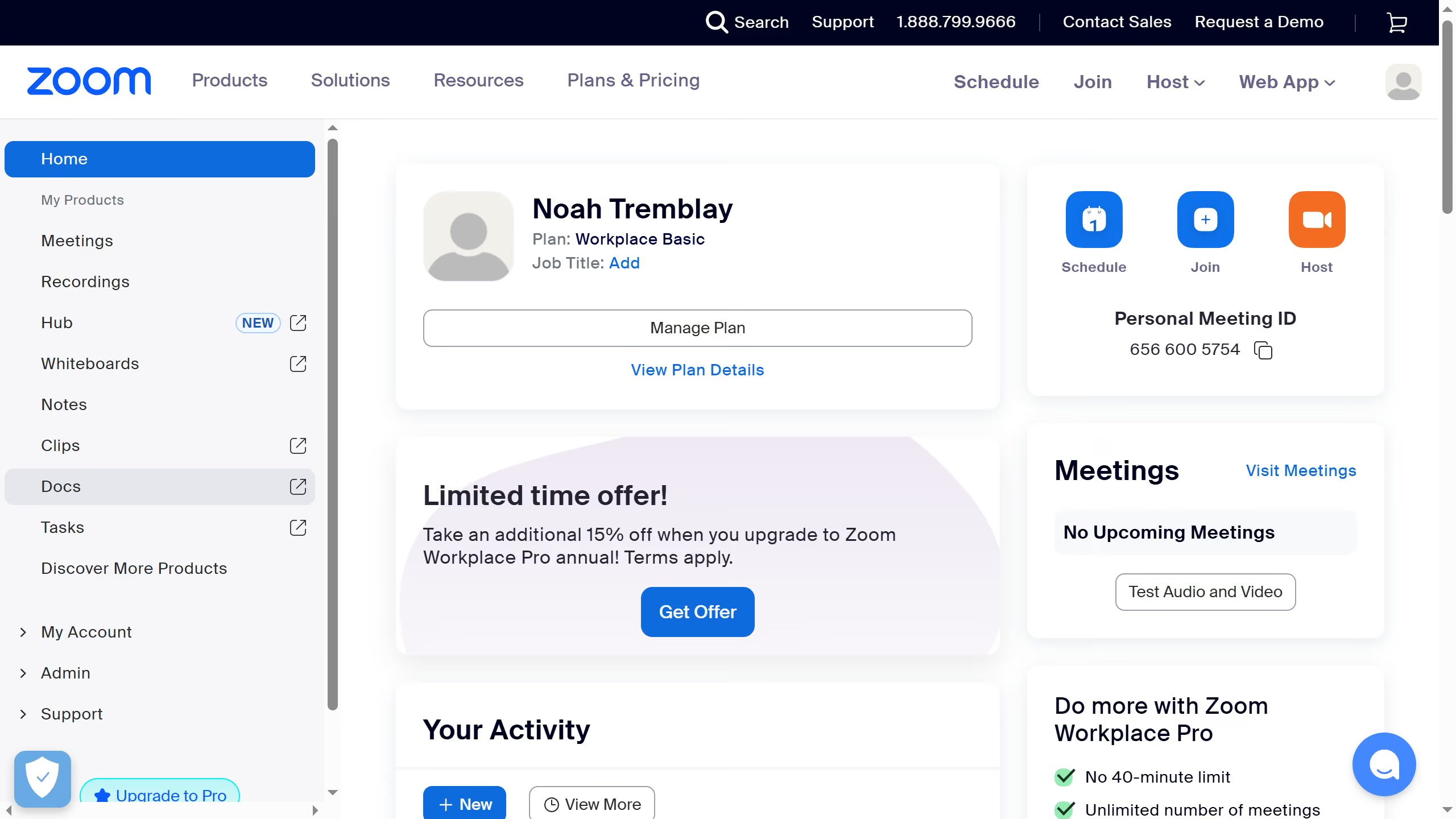
Here is how to create a document from a meeting in zoom docs

  1. First click on "Docs" in the left sidebar menu
  2. Then click on "Create from meetings" button in the top menu bar
  3. Next select the meeting from the list that you want to create a document for
  4. Finally click on the "Untitled" document title at the top of the page to rename it

Create your own interactive guide with Guideflow

Why should you create a document from a meeting in Zoom Docs

Zoom is an innovative platform that brings people together through seamless virtual communication.

Among its rich feature set, Zoom Docs allows users to effortlessly transform their meeting content into organized documents. This feature captures essential highlights and decisions in a structured format.

Utilizing Zoom Docs ensures that none of the valuable insights from your meeting are lost, fostering clearer communication and more effective follow-ups. Experience the ease of capturing the essence of your virtual meetings effortlessly with Zoom Docs.


Last update
February 3, 2026
Cursor MariaA cursor points to a button labeled "James."

Create your first demo in less than 30 seconds.