How to check backlink quality in backlink gap in Semrush
Here is how to check backlink quality in backlink gap in semrush
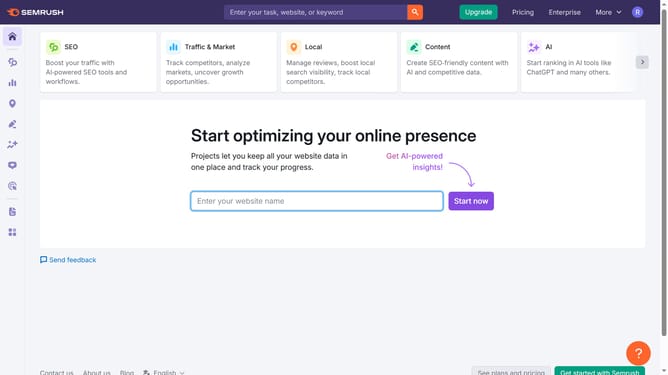
- First click on the "SEO" section in the top navigation menu
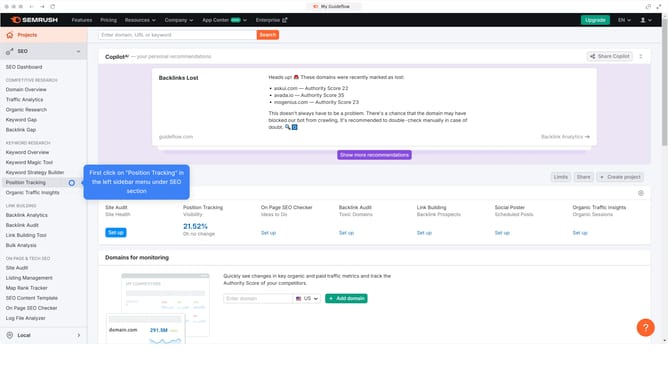
- Then click on "Backlink Gap" option in the left sidebar menu
- Next enter your domain in the first input field
- Then enter the competitors domain in the second input field
- Click on the "Find prospects" button to analyze backlink gaps between domains
- In the results table, use the "Authority Score" and "Monthly Visits" columns to evaluate backlink quality
Why should you check backlink quality in backlink gap in Semrush
Semrush is an all-in-one tool suite for improving online visibility and discovering marketing insights.
Checking backlink quality in Semrush's Backlink Gap feature allows users to identify valuable linking opportunities. By comparing your site's backlinks with competitors', you can uncover potential high-quality links worth pursuing.
Understanding backlink quality is crucial for enhancing search engine rankings and establishing site authority. This feature empowers users to strategically target link-building efforts, providing a competitive edge.
Last update