How to change the font style of text in Pitch
Here is how to change the font style of text in pitch
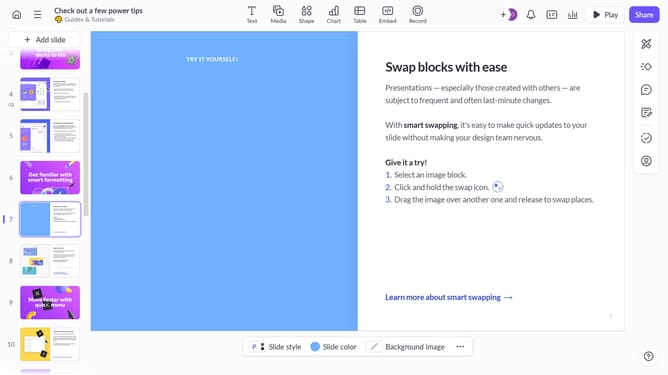
- First, open the presentation containing the text block you want to edit
- From the left sidebar, select the slide containing the text
- Next, click on the text block to select it
- Click on the "More options" button in the toolbar that appears
- After that, locate the "Font" option in the right sidebar
- Then click on the "Font style" dropdown
- Finally, select the font style you want to apply from the Font style dropdown
Why should you change the font style of text in Pitch
Pitch is an innovative platform designed to transform how teams create and share presentations.
One of its standout features is the ability to change the font style of text easily. This feature allows users to customize their presentations fully, reflecting their brand's unique voice and style.
Adapting font styles in Pitch not only enhances the visual appeal of your presentation but also ensures that the message resonates with your audience effectively.
By personalizing your text, you can engage your audience more effectively, making your presentations not only informative but also captivating.
Last update