How to change the color scheme of a Gantt view in ClickUp
Here is how to change the color scheme of a gantt view in clickup
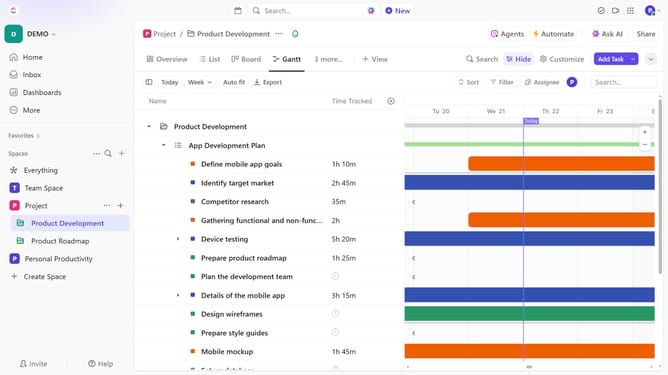
- First, click on a Gantt view in the Views Bar at the top
- Next click on the "Customize" button in the right toolbar
- Click on "Layout options" in the customization menu
- Then click on "Color tasks by" dropdown in the layout options
- Finally choose how you want tasks to be colored from the dropdown menu (By Default, Priority, Status or List)
Why should you change the color scheme of a Gantt view in ClickUp
ClickUp is a versatile productivity platform designed to streamline project management and enhance collaboration.
Changing the color scheme of a Gantt view in ClickUp is a simple yet powerful feature that provides users with the flexibility to customize project visuals to their liking.
With personalized color schemes, you can easily categorize tasks and prioritize deadlines, making it easier to maintain an organized workflow and quickly comprehend project timelines.
This feature ultimately aids in better visual clarity, enhancing focus and productivity.
Last update