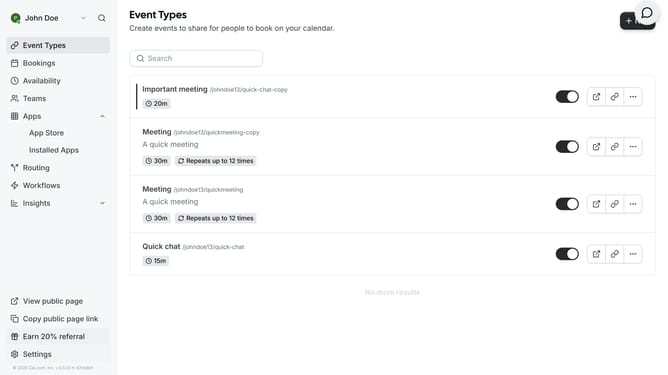
How to allow push notifications in Cal.com
Here is how to allow push notifications in cal.com
- First click the arrow down menu next to your name on the top left
- Then click on the "My settings" option in the left sidebar menu
- Next click on "Push Notifications" in the settings sidebar menu
- Finally click the "Allow Browser Notifications" button in the main content area
Why should you allow push notifications in Cal.com
Cal.com is a versatile scheduling tool designed to streamline booking appointments and events with ease.
Allowing push notifications in Cal.com ensures you never miss an important update or reminder, boosting your productivity and staying on track with your busy schedule.
This feature keeps users engaged in real-time, helping them stay aware of any changes or upcoming commitments instantly and efficiently.
With push notifications, Cal.com enhances your organizational capabilities by offering timely alerts directly to your devices, thus improving your time management skills seamlessly.
Last update