How to add a multiple choice content to a typeform in Typeform
Here is how to add a multiple choice content to a typeform in typeform
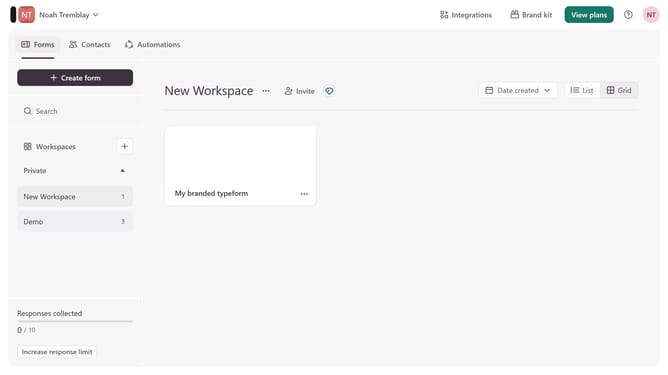
- First click on the a workspace item in the sidebar
- Then click on the "..." icon next to a chosen Typeform
- Then select "Content" from the dropdown menu
- Then click on the "+ Add content" button
- Finally select "Multiple Choice" from the "Recommended" section
Why should you add a multiple choice content to a typeform in Typeform
Typeform is an innovative platform designed to create engaging, conversational online forms and surveys with ease.
Adding a multiple-choice question to your Typeform can elevate the way you collect data by providing respondents with a clear set of options to choose from, ensuring more structured and actionable insights.
This feature is particularly beneficial for collecting quantifiable data, making it efficient for comparing responses, identifying trends, and making informed decisions.
By presenting choices clearly, it enhances the user experience, reduces the likelihood of survey fatigue, and encourages higher completion rates.
Last update