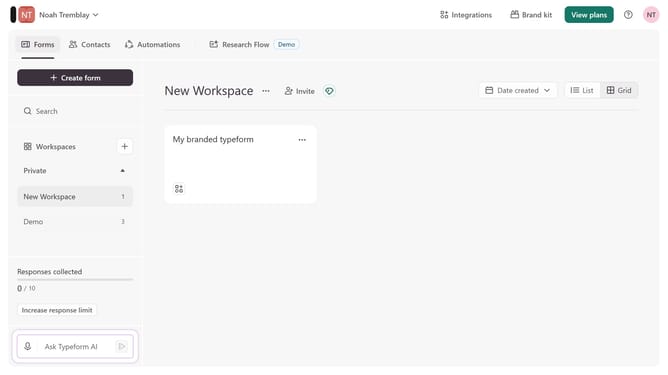
How to integrate a workspace to Zendesk via Customer support in Typeform
Here is how to integrate a workspace to zendesk via customer support in typeform
- First, click on the a workspace in the left sidebar
- Then, click on the "Integrations" button in the header
- Next, click on the "Find an integration" button
- Then, select "Customer support" from the list of categories in the left sidebar
- Finally, click on the "Zendesk" integration card
Why should you integrate a workspace to Zendesk via Customer support in Typeform
Typeform is an interactive platform for creating engaging forms and surveys.
Integrating a workspace to Zendesk via Customer Support in Typeform enhances customer interaction and efficiency.
This integration streamlines support workflows, allowing seamless data transfer between platforms, ensuring rapid response times.
Furthermore, it enables personalized support and improved customer satisfaction, paving the way for a more connected and responsive business environment.
Last update