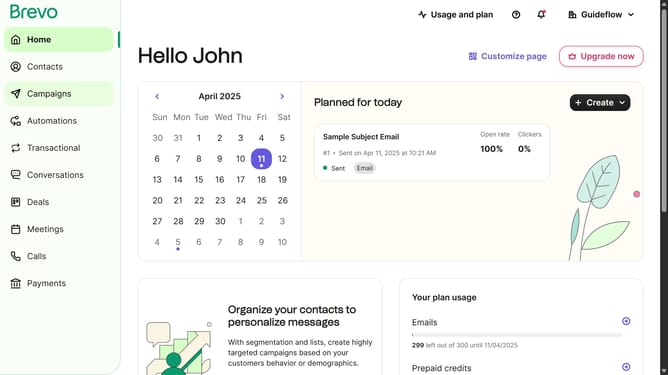
How to use the new editor automation in Brevo
Here is how to use the new editor automation in brevo
- First click on the "Automations" link in the left sidebar menu
- Then click on the "Create an automation" button in the top-right corner
- Next click on the "Create from scratch" dropdown in the modal window
- Finally click on the "New editor" option in the dropdown menu
Why should you use the new editor automation in Brevo
Brevo streamlines digital marketing efforts by offering an innovative editor automation feature, designed to enhance productivity and campaign efficiency.
The new editor automation in Brevo empowers users to effortlessly customize their workflows. This innovative feature allows for seamless integration of personalized elements, reducing the time spent on manual adjustments.
Utilizing editor automation not only fosters a more streamlined and consistent brand message but also amplifies marketing impact, ensuring every interaction is tailored and effective. By harnessing this tool, businesses can focus more on strategic growth and less on repetitive tasks.
Last update