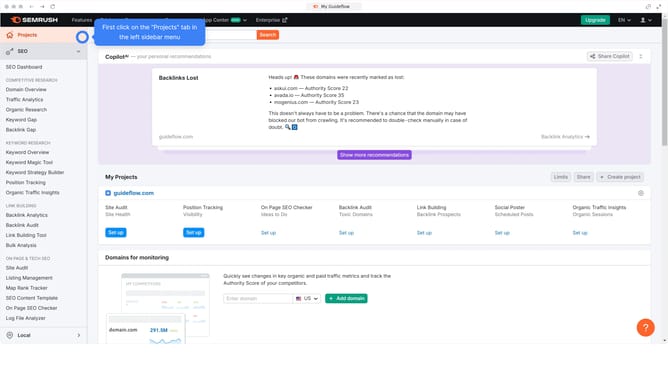
How to monitor SERP feature changes in Semrush
Here is how to monitor serp feature changes in semrush
- First click on the "SEO" tab in the main navigation menu
- In the left-hand sidebar, click "Organic Research" under the "Competitive Research" section
- Enter your domain in the domain input field
- Click "Search" to open the Organic Research report
- Navigate to the "Positions" tab to view your ranking keywords
- Click the "SERP Features to monitor how your SERP feature visibility changes over time
Why should you monitor SERP feature changes in Semrush
Semrush is a comprehensive digital marketing tool designed to enhance visibility and uncover marketing insights.
Monitoring SERP feature changes in Semrush empowers users to adjust their SEO strategies dynamically.
As SERP features evolve, understanding these shifts allows businesses to stay competitive and improve rankings.
This proactive approach aids in identifying new opportunities and maintaining a robust online presence.
Last update