How to manage public links in Confluence
Here is how to manage public links in confluence
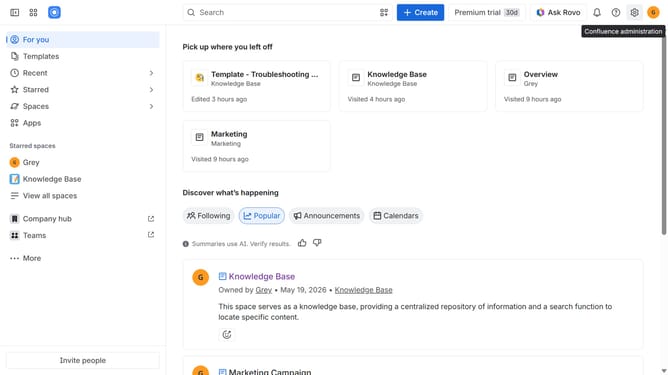
- First click on the gear icon in the top right header to open the Confluence administration menu
- Under the "Settings" section, click on "Security"
- After that, select the "Public links" option in the submenu
- You can turn on or off the "Allow public links on this site" toggle to allow or stop allowing public links across the Confluence site
- Finally, click on the "Allow" or "Stop allowing" button in the confirmation dialog
Why should you manage public links in Confluence
Confluence is a collaborative workspace designed to help teams efficiently create and share information.
One of its valuable features is the ability to manage public links, allowing users to effortlessly share content with external stakeholders without exposing the entire workspace. This feature significantly enhances flexibility and control over who can view specific documents, supporting seamless collaboration with clients or partners.
Moreover, managing public links in Confluence ensures that teams can safely disseminate information, maintaining security while fostering transparency and open communication.
Last update