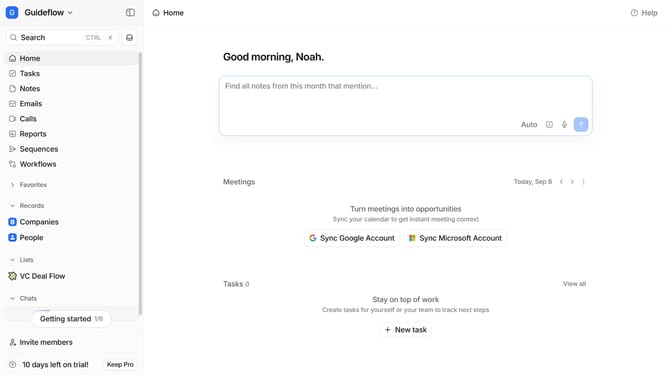
How to integrate Bitscale in Attio
Here is how to integrate bitscale in attio
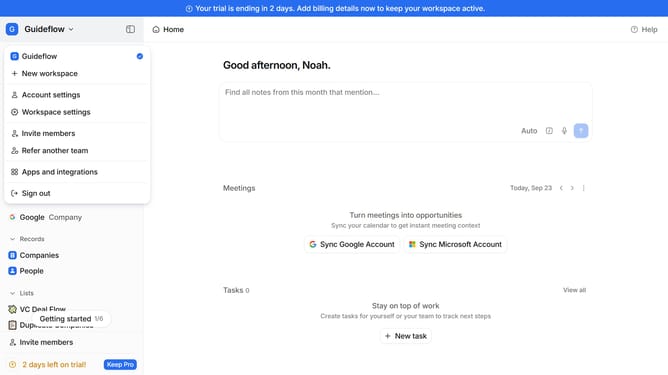
- First click on the company name dropdown button
- Then click on "Apps and integrations" in the sidebar
- Next, click on "Data and enrichment" in the sidebar
- Then click on the "View All" button under the "Data and enrichment" section
- Next, click on the "Bitscake" app card
- Finally, click the “Install” button, log in to your Bitscale account, and continue with the configuration to complete the integration
Why should you How to integrate Bitscale in Attio
Attio is a dynamic CRM platform designed to revolutionize the way you manage relationships and streamline workflows.
Integrating Bitscale with Attio brings your CRM capabilities to the next level by optimizing data analytics and enhancing performance metrics.
With Bitscale, you can easily scale your data processes, ensuring that all interactions are efficiently managed and analyzed for better decision-making.
This integration not only simplifies complex tasks but also provides actionable insights, making your CRM experience more powerful and effective.
Last update