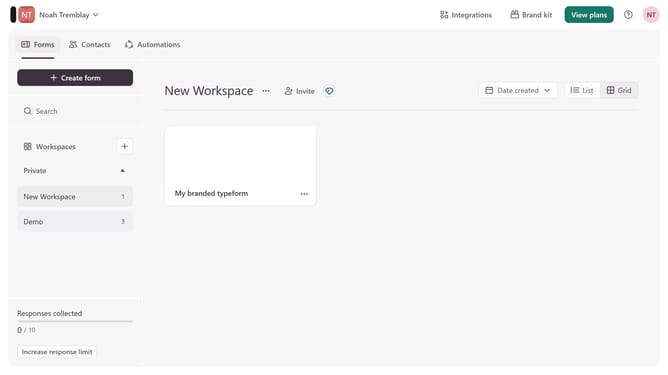
How to integrate a workspace to Gmail via Lead generation in Typeform
Here is how to integrate a workspace to gmail via lead generation in typeform
- First, click on a workspace in the left sidebar
- Then, click on the "Integrations" button in the top menu
- Next, click on the "Find an integration" button
- Then, click on the "Analytics & reporting" category in the left sidebar
- Finally, click on the "Gmail" integration
Why should you integrate a workspace to Gmail via Lead generation in Typeform
Typeform is a sleek tool designed to create engaging and interactive forms.
Integrating your workspace with Gmail through Typeform's lead generation feature streamlines communication and increases productivity. By automating response collection and follow-up emails, you ensure immediate action on new leads.
This integration not only saves time but also enhances the accuracy and relevance of information gathered, leading to improved decision-making in your workspace.
Last update