How to integrate a workspace to Excel via Productivity in Typeform
Here is how to integrate a workspace to excel via productivity in typeform
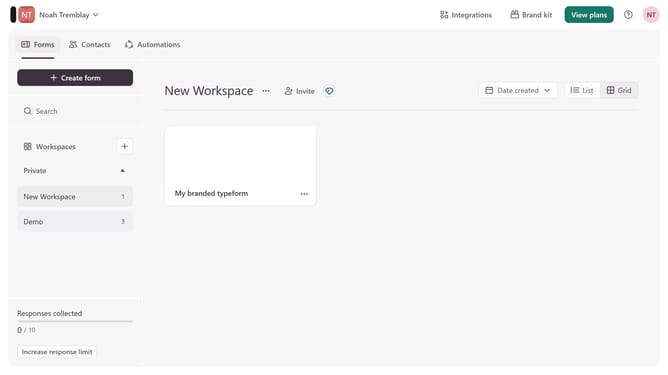
- First, click on a workspace in the left sidebar
- Then, click on the "Integrations" button in the top menu
- Next, click on the "Find an integration" button
- Then, click on the "Productivity" category in the left sidebar
- Finally, click on the "Excel" integration
Why should you integrate a workspace to Excel via Productivity in Typeform
Typeform transforms interactions by creating engaging and human-centered forms, surveys, and quizzes.
Integrating a workspace to Excel via Productivity in Typeform enhances data management by allowing seamless transfer of collected responses into spreadsheets.
This integration streamlines workflow, ensuring that your data is well-organized and easily accessible for analysis.
Enjoy the efficiency of having all your Typeform insights directly in Excel, saving time and boosting productivity.
Last update