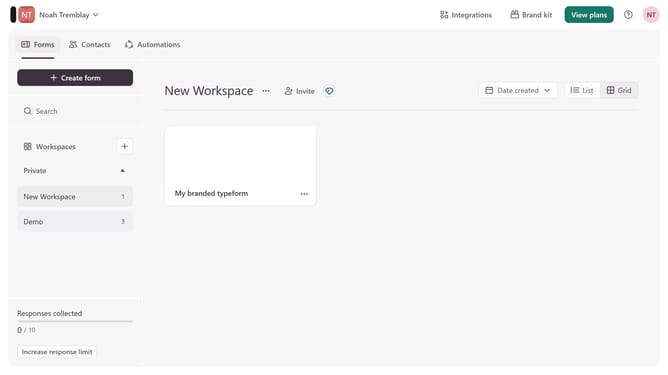
How to integrate a workspace to Asana via Zapier via Marketing automation in Typeform
Here is how to integrate a workspace to asana via zapier via marketing automation in typeform
- First, click on a workspace in the left sidebar
- Then, click on the "Integrations" button in the top menu
- Next, click on the "Find an integration" button
- Then, click on the "Marketing automation" category in the left sidebar
- Finally, click on the "Asana via Zapier" integration
Why should you integrate a workspace to Asana via Zapier via Marketing automation in Typeform
Typeform transforms data collection into engaging, user-friendly conversations that feel personal and interactive.
Integrating a workspace to Asana via Zapier and Typeform enhances seamless project management, bridging the gap between form entries and actionable tasks.
This automation streamlines workflows by instantly translating Typeform submissions into Asana tasks, ensuring no detail is overlooked and every team member stays informed.
Embracing this integration boosts efficiency, reduces manual entry, and allows for a more focused approach to project execution.
Last update