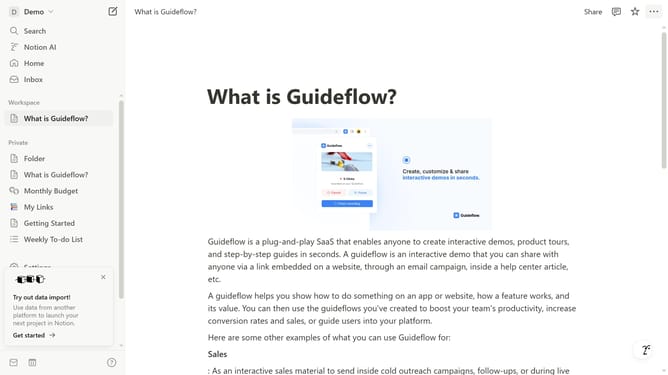
How to hide other Notion apps in sidebar in Notion
Here is how to hide other notion apps in sidebar in notion
- First click on the workspace dropdown button in the top left corner of the header
- Then click on the "Settings" button in the workspace menu
- Next click on the "General" option in the left sidebar of the settings panel
- Finally click on the toggle button to disable "Show other Notion apps in sidebar" option
Why should you hide other Notion apps in sidebar in Notion
Notion is a versatile workspace designed to streamline organization and enhance productivity.
One of Notion's features allows users to hide other Notion apps in the sidebar, creating a less cluttered and more focused interface. This feature is beneficial for users who want to minimize distractions and concentrate on the workflow at hand.
By customizing the sidebar, users can quickly access frequently used items while maintaining a clean and efficient workspace. This promotes a more organized and tailored digital environment, aligning perfectly with personal preferences and practical needs.
Last update