How to export a live doc in Confluence
Here is how to export a live doc in confluence
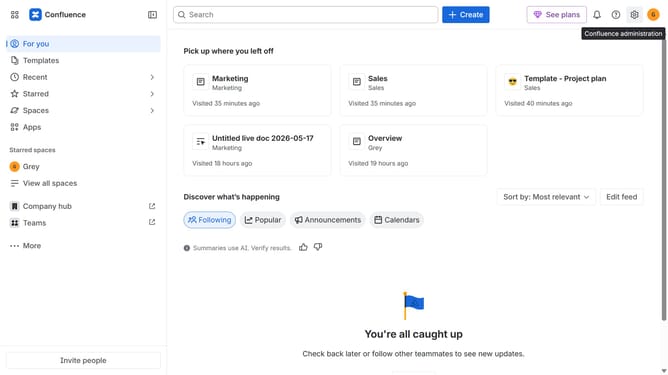
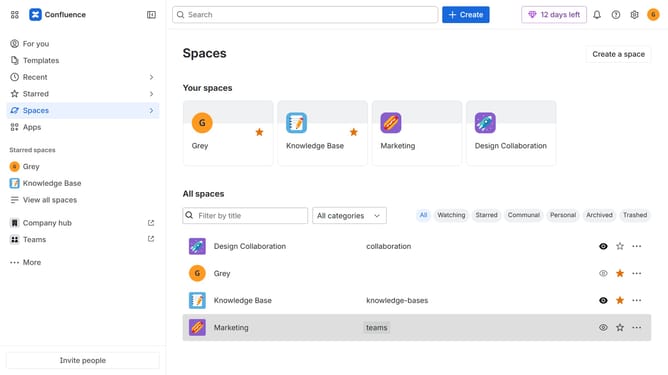
- First, navigate to the spaces list page and open the space that contains the live doc
- In the left sidebar, under "Content", click on the live doc you want to export
- Next, click the "More actions" (three dots) button in the top-right corner
- Then select "Export" from the dropdown menu
- Finally, select "Export to Word" or "Export to PDF" from the expanded export options
Why should you export a live doc in Confluence
Confluence is a dynamic collaboration tool designed to create, share, and manage knowledge efficiently.
Exporting a live doc in Confluence is a powerful feature that enhances the way teams distribute knowledge. It allows users to share documents effortlessly while maintaining the most up-to-date information. By exporting live docs, teams ensure that everyone is on the same page, reducing the risk of miscommunication.
This functionality is invaluable for collaborative environments where timely and accurate data sharing is crucial. It streamlines workflow by integrating seamlessly with other applications and formats.
Last update