How to expand the sidebar in GitHub Copilot
Here is how to expand the sidebar in github copilot
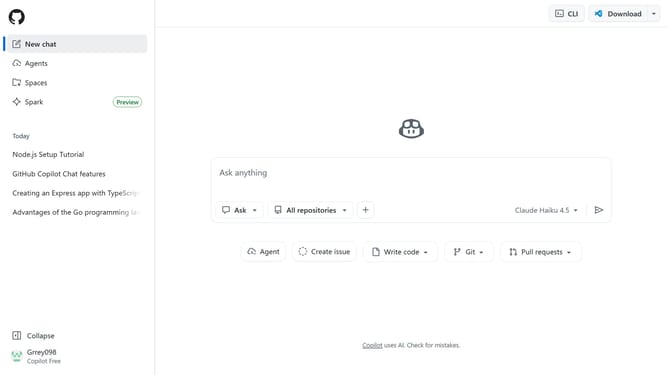
- First, navigate to Copilot chat and locate the collapsed sidebar on the left side of the screen
- Then click on the "Expand sidebar" button in the bottom left corner
- The sidebar will expand, showing all its contents and options
Why should you expand the sidebar in GitHub Copilot
GitHub is a powerful platform designed to help developers collaborate and manage their code efficiently.
Expanding the sidebar in GitHub Copilot is a simple yet advantageous feature.
Using the expanded sidebar, developers can access and interact with Copilot's suggestions more seamlessly, enhancing their workflow and productivity.
This additional space aids in viewing options more clearly, allowing users to make informed decisions while coding, ultimately streamlining the development process.
Last update