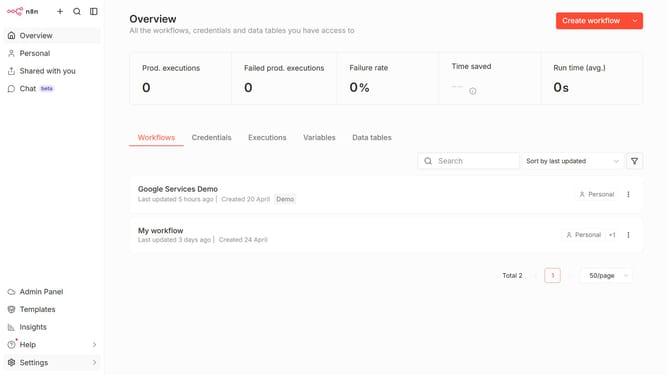
How to create Zulip API credential in n8n
Here is how to create zulip api credential in n8n
- First click on the dropdown arrow next to "Create workflow"
- Then click on "Create credential" option
- Then click on the "Search for app..." input field and enter "Zulip"
- Then click on "Zulip API" option
- Then click on the "Continue" button
- Then fill in the credential details
- Finally click on the "Save" button
Why should you create Zulip API credential in n8n
n8n is an innovative workflow automation tool designed to connect different apps and services seamlessly.
Creating Zulip API credentials in n8n provides a bridge between the communication platform and customized workflows. This feature empowers users to automate messaging processes, streamline notifications, and integrate Zulip's functionalities directly into their workflows efficiently.
By enabling n8n to interface with Zulip, users unlock enhanced teamwork capabilities, ensuring timely updates and fostering real-time collaboration, leading to improved productivity.
Last update