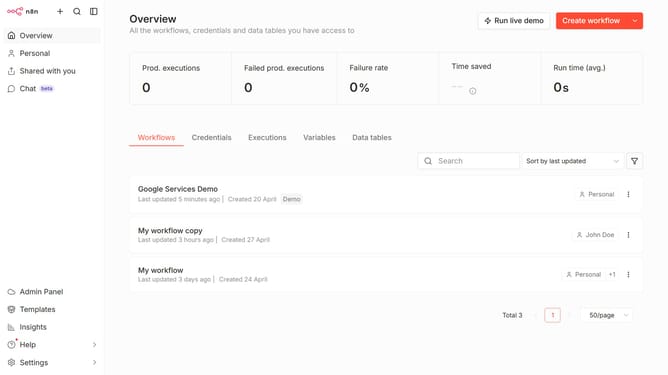
How to create Mautic API credential in n8n
Here is how to create mautic api credential in n8n
- First click on the dropdown arrow next to "Create workflow" button
- Then click on "Create credential" button
- Then click on the "Search for app..." input field
- Then type "mautic" into the search box and select "Mautic API" from the dropdown
- Then click on the "Continue" button
- Then fill in the required credential details
- Finally click on the "Save" button
Why should you create Mautic API credential in n8n
n8n is an innovative automation tool designed to seamlessly connect different applications and workflows without coding.
Creating Mautic API credentials in n8n bridges the power of Mautic's marketing automation with n8n's versatile process automation capabilities.
This feature streamlines workflows, ensuring data flows effortlessly between your marketing data and other business processes. By integrating Mautic through n8n, businesses can efficiently automate tasks that traditionally would consume significant time and resources, enhancing productivity.
Ultimately, using Mautic API credentials in n8n enables more dynamic and responsive marketing strategies, resulting in better engagement and results.
Last update