How to add followers to a channel in ClickUp
Here is how to add followers to a channel in clickup
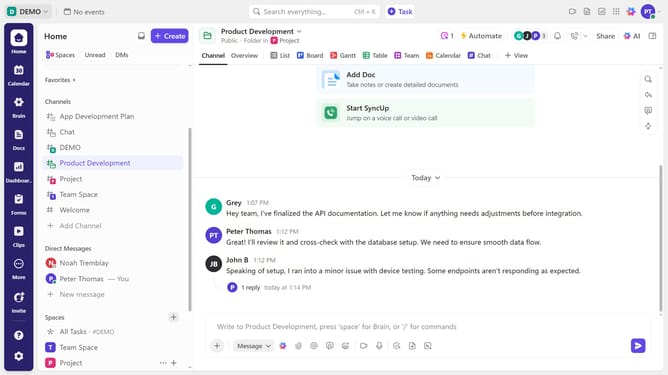
- First navigate to the channel where you want to add new followers
- Next click the Followers icon in the top right
- Click on "Followers" tab in the right sidebar
- Then click on "Add Follower" button in the Followers panel
- Locate the team members you want to add
- Finally click the "Add as Follower" button next to their name
- The selected team members are now successfully added as followers and will receive updates and notifications from the channel
Why should you add followers to a channel in ClickUp
ClickUp is a versatile platform designed to streamline your projects and enhance team productivity.
Adding followers to a channel in ClickUp allows team members to stay updated with ongoing discussions and project changes.
This feature ensures that everyone involved receives relevant notifications, promoting seamless communication and collaboration.
By bringing the right people into a channel, teams can effectively share insights and avoid miscommunications, fostering an environment of clarity and unity.
Last update