How to add app Microsoft 365 Email (Outlook) in Make
Here is how to add app microsoft 365 email (outlook) in make
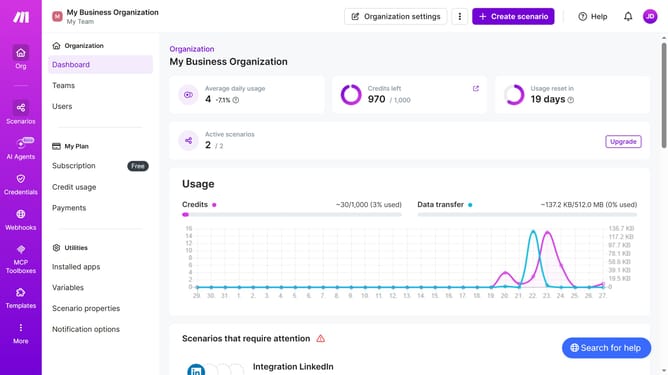
- First click on "Create scenario" button in the header.
- Then click on search input field in the sidebar menu.
- Next click on "Microsoft 365 Email (Outlook)" from search results.
- Then click on "Send an Email" option.
- Then click on "Connection" dropdown in the modal window
- Next select from the dropdown
- Then click on the "Subject" input field and enter subject
- Next click on the "Body Content" input field and enter information
- Then click on "Add item" button in the "To Recipients" section
- Then click on the "Email Address" input field and add information
- Finally click on "Save" button.
Why should you add app Microsoft 365 Email (Outlook) in Make
Make is a pioneering automation platform designed to connect apps and automate workflows with ease.
Integrating Microsoft 365 Email (Outlook) with Make enhances productivity by seamlessly connecting your email communications with other essential applications. This feature facilitates automated responses, synchronization, and follow-ups, improving workflow efficiency and time management.
Using Make to add Microsoft 365 Email ensures that your business communications are streamlined, helping you focus on crucial tasks rather than manual email tasks, providing a comprehensive solution for modern professionals.
Last update