How to add a Question Group content to an existing form in Typeform
Here is how to add a question group content to an existing form in typeform
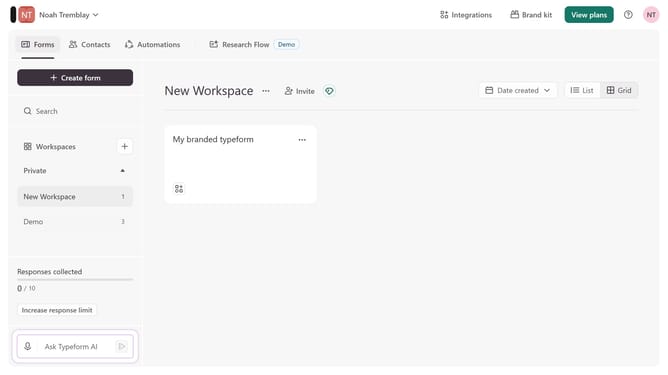
- First click on the a workspace item in the sidebar
- Then click on the "..." icon next to a chosen Typeform
- Then select "Content" from the dropdown menu
- Then click on the "+ Add content" button
- Finally select "Question Group"
Why should you add a Question Group content to an existing form in Typeform
Typeform is a powerful tool that transforms how you gather information through interactive and engaging forms.
Adding a Question Group to an existing form in Typeform dramatically enhances how you organize and present questions, making the form more structured and user-friendly.
This feature allows for seamless segmentation of related questions, ensuring respondents experience a smooth flow, ultimately leading to more accurate and insightful data collection.
Leverage the power of Question Groups to elevate your surveys to the next level of efficiency and user engagement.
Last update