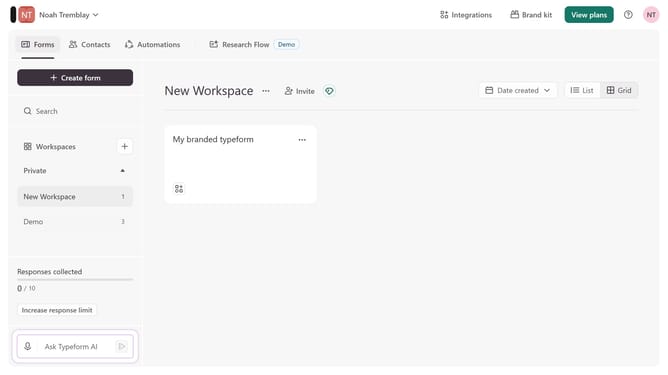
How to integrate a workspace to Jira Service Desk through Zapier in Typeform
Here is how to integrate a workspace to jira service desk through zapier in typeform
- First click on a workspace in the sidebar
- Then click on the "Integrations" button in the top menu
- Next, click on the "Find an integration" button in the main content area
- Then click on "Developer tools" in the categories list on the left sidebar
- Finally click on the "Visit" button next to "Jira Service Desk"
Why should you integrate a workspace to Jira Service Desk through Zapier in Typeform
Typeform is an intuitive platform that transforms the way you collect information with beautifully designed, interactive forms.
Integrating your workspace to Jira Service Desk through Zapier in Typeform allows for seamless data transfer, enhancing your workflow efficiency. By connecting these tools, you ensure that every response received via Typeform is immediately and automatically funneled into your Jira Service Desk, ensuring no critical details are overlooked.
With this integration, streamline your support process and enhance team productivity by reducing manual entry, thereby focusing on what truly matters: solving issues and improving customer satisfaction.
Last update