Close
Close is a sales CRM platform for inside sales teams to manage leads, calls, and email outreach.
Website
Industry
Leadgen
Share this article:

How to add a new lead status on Close.com

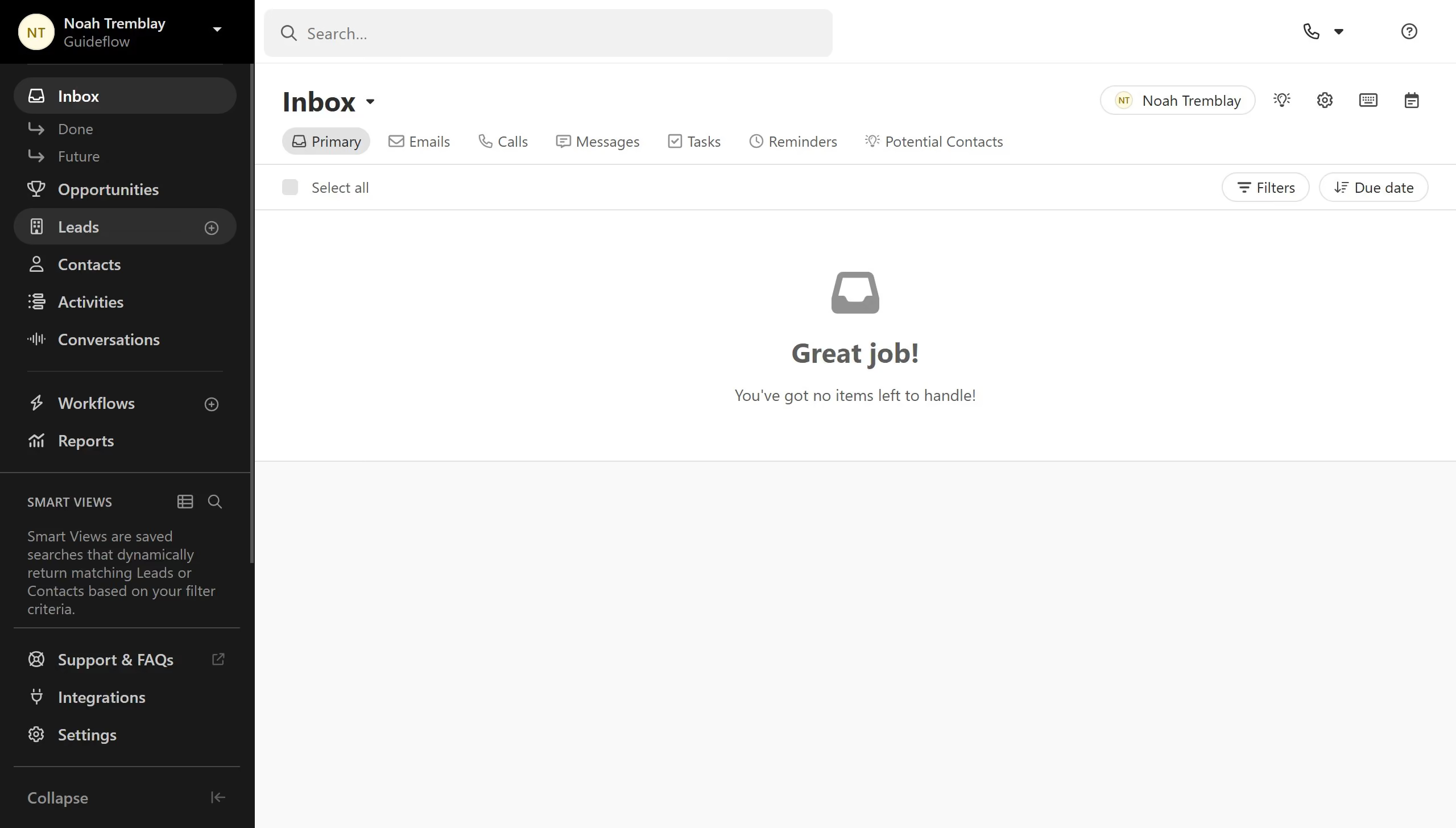
Here is how to add a new lead status on close.com

  1. First click on "Settings" menu item in the left sidebar
  2. Then click on "Statuses & Pipelines" option in the settings submenu
  3. Add a new lead status tag
  4. Finally click on "Add" button to add the new status

Create your own interactive guide with Guideflow

Why should you add a new lead status on Close.com

Close.com is a customer relationship management platform designed to streamline sales processes and enhance team productivity.

Adding a new lead status on Close.com allows users to better organize and categorize leads based on their unique sales pipeline needs.

This feature ensures that teams can quickly identify and prioritize leads, enabling more effective and timely follow-ups.

By providing clear insights into lead progress, it helps improve sales strategies and ultimately boosts conversion rates.

Last update
May 6, 2026
Cursor MariaA cursor points to a button labeled "James."

Create your first demo in less than 30 seconds.