How to integrate a workspace to Zapier via Marketing automation in Typeform
Here is how to integrate a workspace to zapier via marketing automation in typeform
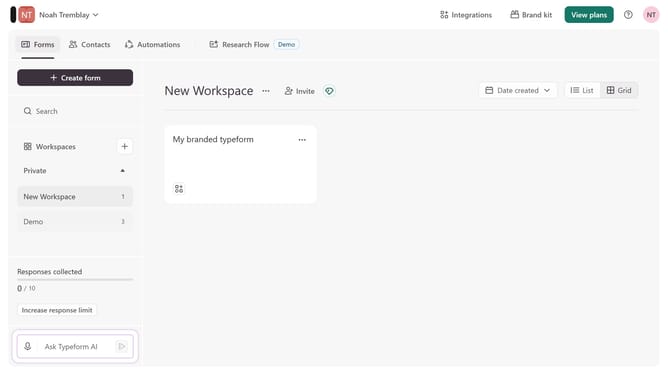
- First, click on the a workspace item in the side navigation bar
- Then click on the "Integrations" button in the header
- Next, click on the "Find an integration" button
- After that, click on the "Marketing automation" link in the categories list on the left side
- Finally, select the "Zapier" integration to connect
Why should you integrate a workspace to Zapier via Marketing automation in Typeform
Typeform revolutionizes the way you collect data by making forms interactive and engaging.
Integrating a workspace with Zapier through Typeform’s Marketing automation is a strategic step toward seamless connectivity. This integration allows you to automate workflows effortlessly, linking Typeform with countless apps.
The benefits are profound, offering enhanced productivity by minimizing manual tasks and permitting instant responses. Businesses can now harness the agility of automation to consistently improve their efficiency and customer engagement.
Last update